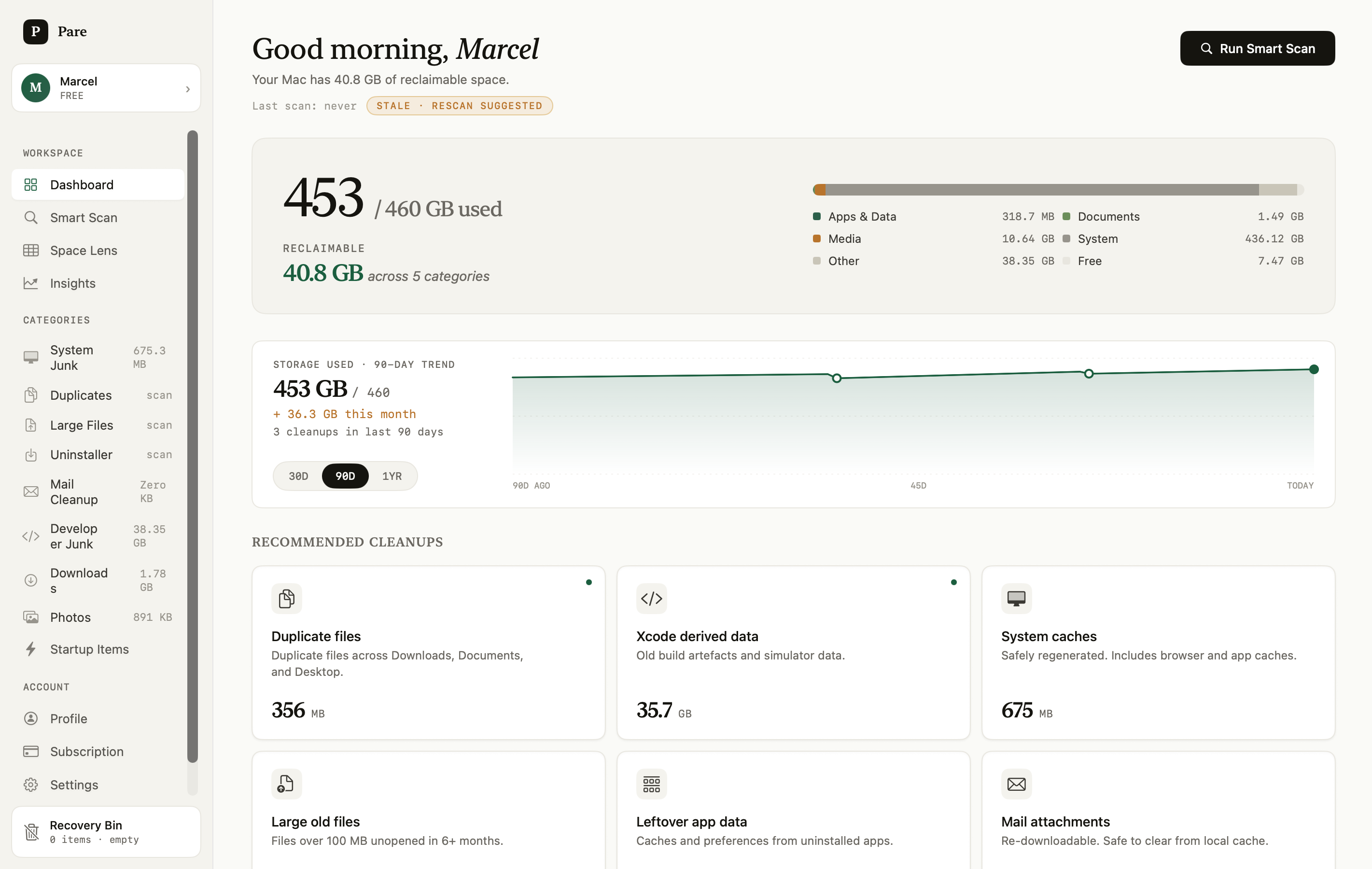
A calmer, privacy-first disk cleanup app for macOS. Scan, decide, clean — and restore anything for 30 days. Nothing ever leaves your Mac.
macOS 13+ · Apple Silicon & Intel · Free to use (500 MB/mo cap)
If macOS shows a warning, right-click the DMG → Open → click Open again
Download the DMG, open it, drag Pare to Applications. If macOS shows a security warning, right-click Pare → Open → click Open.
When you're ready for unlimited cleanup, purchase a key. Payment is handled securely by LemonSqueezy.
Paste your licence key in Pare → Settings → Licence → Activate. Premium unlocks instantly.
8 cleanup categories, one reversible workflow. All on-device.
Caches, logs, and language files that macOS regenerates on demand. Protected system paths excluded automatically.
Remove apps with all their preferences, caches, and support files. Surfaces leftovers from deleted apps.
Find duplicate files across Downloads, Documents, and Desktop. Pare keeps the best copy automatically.
Files over 100 MB unopened in 6+ months. You decide what to keep — nothing is pre-selected.
Xcode DerivedData, unused simulators, node_modules, and build caches. The biggest single reclaim category.
Apple Mail keeps attachments on disk forever. Safe to remove — Mail re-downloads on demand.
Screenshots, RAW originals, burst near-duplicates, and Photos library cache.
A visual treemap of what's taking up your disk. Click any block to drill into that category.
Everything goes to a 30-day Recovery Bin first. Restore with one click. Nothing is permanent.
Start free. Upgrade when you need to. No account required.
After purchasing, you'll receive a licence key by email. Activate it in the Pare app.
Test keys work in the app. For production, keys are issued automatically after purchase via LemonSqueezy.
Pare runs entirely on your Mac. Nothing scanned ever leaves your device.
No cloud, no telemetry by default. File names, paths, and contents never leave your Mac.
Pare previews exactly what's selected. Nothing moves without your explicit confirmation.
Everything goes to a local Recovery Bin first. Restore with one click for 30 days.